
Cursor
Cursor ships an "Override OpenAI Base URL" — one of the simplest tools to wire to PrimeRouter.
Get an API key first — see Common setup.
Setup (macOS / Windows / Linux — identical)
Cursor is a GUI app — same steps on every OS, only the settings shortcut differs.
Open Cursor → Settings:
- macOS:
Cmd + , - Windows / Linux:
Ctrl + ,
- macOS:
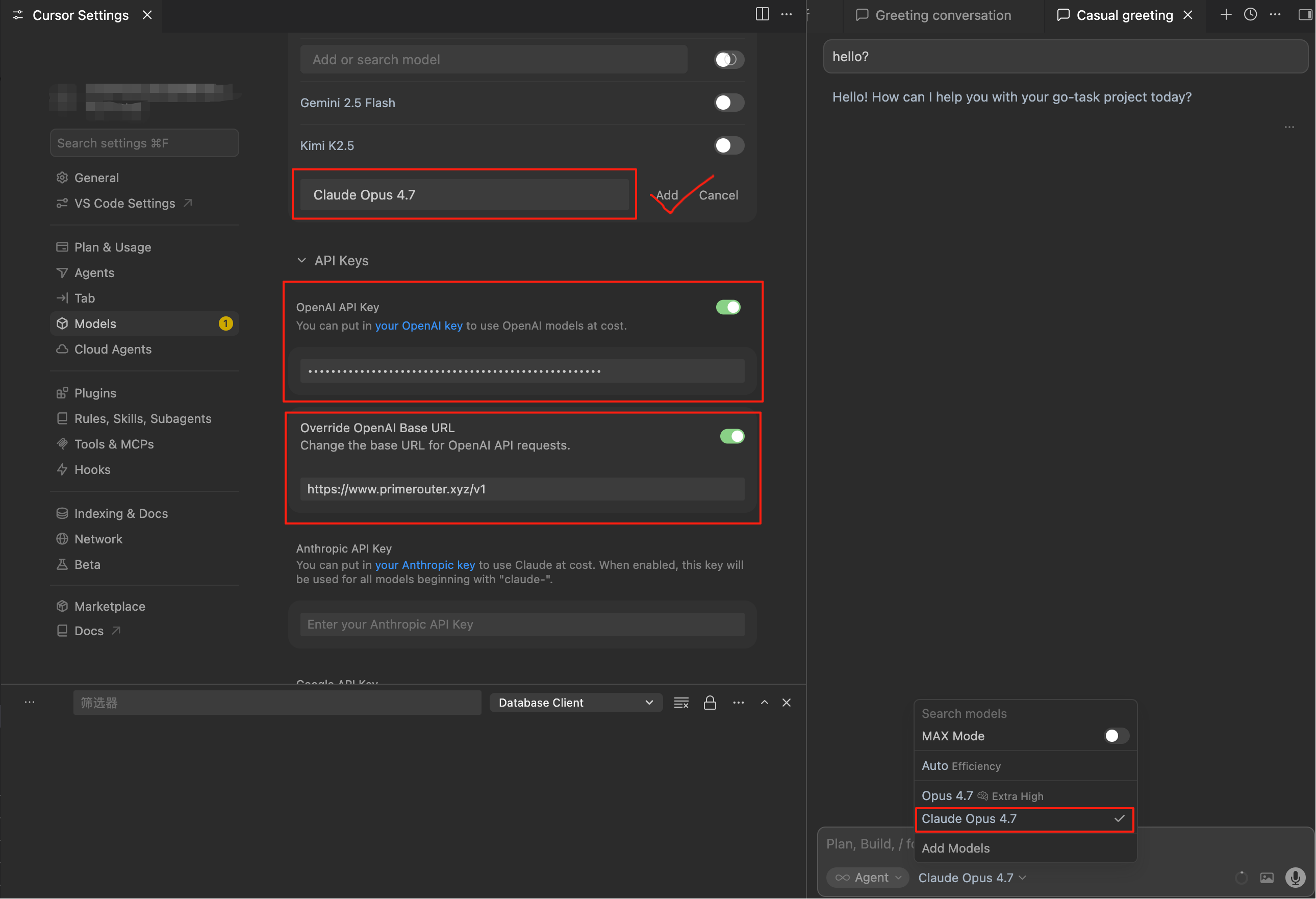
Left panel → Models
Disable all built-in models (Cursor Pro / GPT-4 / etc.)
In the Model Names input, type
Claude Opus 4.7and click AddIn OpenAI API Key, fill:
OpenAI API Key:           sk-your-primerouter-key
Override OpenAI Base URL: https://primerouter.ai/v1
Pick
Claude Opus 4.7from the top model selector
Once filled in, the screen should look like this:
Gotchas
WARNING
- Use the spaced, title-cased model name (e.g.
Claude Opus 4.7). Cursor ships built-in entries forclaude-opus-*/claude-sonnet-*— adding the same lower-cased, hyphenated string as a custom model collides with Cursor's built-in routing and shows up as garbled output or mid-stream cut-off. - Cursor Tab completions use a proprietary model — they cannot be replaced this way. Only Chat / Composer / Agent route through your custom model.
- Agent mode: tick "Custom Model" next to the model so Cursor trusts it for tool use.
Recommended models
Pick any of the following names and add it to your Model Names list.
| Scenario | Model Name |
|---|---|
| Daily Chat / Composer | Claude Sonnet 4.6 |
| Stable Opus for complex tasks | Claude Opus 4.6 |
| Agent / long tasks | Claude Opus 4.7 |